Richard Batt |
AI Hallucinations Are Built In, Not Bugs. Here Is What That Means for Your Business
Tags: AI Strategy, Risk Management
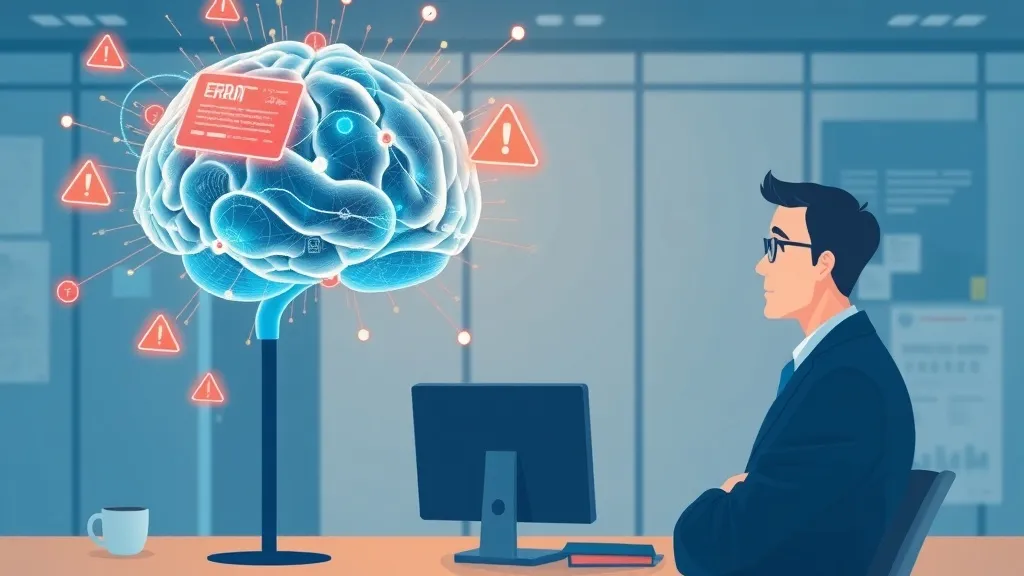
Tsinghua University researchers found that language models hallucinate at rates up to 10% when processing longer documents: 128K words and beyond. Separately, the New York Times investigation discovered AI-generated tax forms with errors serious enough to constitute tax evasion. These aren't corner cases. They're the system working as designed.
The problem: AI doesn't know what it doesn't know. It fills gaps with plausible-sounding text. When you ask ChatGPT for case law, it invents court cases. When you ask Claude to pull data from a database it hasn't seen, it generates numbers that sound right. This isn't a bug waiting for a fix. It's fundamental to how large language models work.
Key Takeaways
- Hallucinations aren't disappearing. They're built into how LLMs work: probabilistic, not deterministic.
- Hallucination risk scales with task complexity and consequence. High stakes = high risk.
- The real question isn't "Does AI hallucinate?" but "Where can we tolerate hallucinations?"
- From 120+ projects, I've built a framework to determine which tasks are safe for automation and which require human verification.
The Core Problem: Probabilistic, Not Deterministic
Here's what most people get wrong: they think AI hallucinations will eventually be engineered away. They won't. Language models don't retrieve information: they predict the next token based on probability. A tax consultant who says "I'm 92% confident in this deduction" and fills in the rest with a guess would face malpractice claims. AI does exactly this, every single time it generates text.
That's not a limitation. That's the model. Improving it means making predictions more accurate, not eliminating probability altogether. Hallucinations will always exist at some rate.
Practitioner Insight: Where I've Seen This Break Real Businesses
Across 120+ AI implementation projects, I've watched hallucinations cause three types of damage:
1. Accounting and compliance work, A financial services client used Claude to extract data from regulatory filings. The model hallucinated a compliance classification. It looked legitimate, landed in their audit, and created a six-month remediation project. Cost: $47K in consulting fees.
2. Customer-facing content, A marketing team automated competitor research with GPT-4. The model invented product features that didn't exist. Sales quoted those features to prospects. Credibility damage took months to repair.
3. Internal decision-making, A logistics company fed AI expense data to forecast cash flow. The model interpolated missing months instead of flagging them. Leadership made capital decisions on fabricated numbers.
The pattern: hallucinations cost the most when they're hard to spot and costly to fix.
The Real Question: Where Is AI Safe to Use?
Stop asking "Can AI hallucinate?" Start asking "What's my tolerance for error in this task?"
Safe for AI (high volume, low consequence): Email drafting. Meeting summaries. Data entry preparation. First-pass research compilation. Content brainstorming. Repetitive documentation. If a human reviews the output or the error gets caught by a downstream process, AI works.
Dangerous for AI (any consequence): Regulatory filings. Medical claims. Legal interpretation. Financial projections submitted to lenders. Customer commitments. Anything signed off as accurate.
Hybrid (AI + verification): Contract reviews (AI flags sections, humans decide). Financial analysis (AI extracts data, humans validate). Compliance audits (AI screens documents, humans verify findings).
The Framework I Use
From 120+ projects, here's the decision tree:
Question 1: What's the cost of a 5-10% error rate? If it's zero or negligible, use AI freely. If it's material, proceed carefully.
Question 2: Can a human catch the error before it matters? If yes, automation is safe. If no, it isn't.
Question 3: Is the output used for judgment, or just input to judgment? If just input, verify it. If it's the final decision, don't use AI.
Question 4: Can you implement a confidence threshold? Some models can flag low-confidence outputs. Flag them for human review.
Apply this to your highest-value tasks first. You'll find that 60-70% of your manual work is safe for automation. The remaining 30-40% requires careful hybrid workflows.
What You Should Do Monday Morning
Audit your current AI usage against these categories. Move safe tasks to full automation. Redesign dangerous tasks as hybrid workflows. For high-stakes work, assume a 5-10% error rate and build verification into your process. That's not pessimism. That's building a system that works with AI's actual constraints, not the constraints you wish it had.
FAQ
What is a real life example of AI hallucinations?
The NYT investigation found AI tax forms with deduction errors. A financial client of mine had Claude invent a compliance category that didn't exist in SEC regulations. Another case: a team automated competitor research and the model fabricated product features. All of these made it to decision-makers before humans caught them.
Does AI still have hallucinations?
Yes. Every major model. Claude, GPT-4, Gemini: hallucinates. Newer models do it less often (GPT-4 roughly 5-8%, older models 10%+), but the rate scales with complexity and document length. As you push models harder, hallucinations increase.
Why do ChatGPT and other LLMs hallucinate?
Because they predict the next token based on probability, not retrieval. When ChatGPT doesn't know something, it doesn't say "I don't know." It guesses. A guess that's plausible enough often sounds true. This is how the model was trained, and it's not going away.
How do I reduce hallucinations in my workflow?
Use retrieval-augmented generation (RAG) when possible: feed the model specific documents it should reference. Implement human verification for high-stakes outputs. Use models with lower hallucination rates (GPT-4 over GPT-3.5; Claude over older versions). Set confidence thresholds and flag low-confidence outputs. Keep humans in the loop for judgment calls.
Should I stop using AI because of hallucinations?
No. Stop using AI for tasks where a 5-10% error rate creates unacceptable risk. Keep using it for everything else. The issue isn't AI itself: it's misalignment between the task and the tool.
Next Step: Know Your AI Roadmap
If you're unsure which tasks in your business are safe for AI and which require verification, start with an AI Readiness Audit. I help teams map their workflows, identify automation opportunities, and build verification into high-stakes processes. Get your AI roadmap to see where hallucinations matter and where they don't.
Also get: AI Quick-Wins Checklist, 5 high-impact tasks you can automate safely this week.